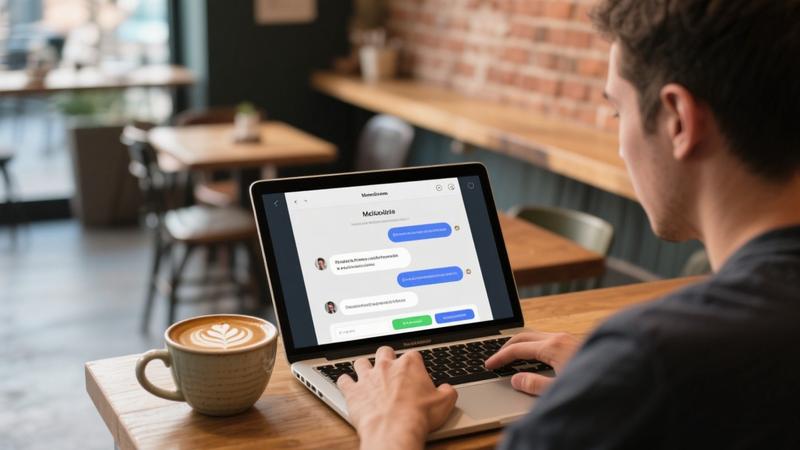
Adding a chatbot to your website can dramatically improve customer engagement, reduce support workload, and provide visitors with instant answers to their questions. Until recently, building a chatbot required significant programming knowledge or a substantial budget for development. Today, no-code chatbot platforms powered by AI make it possible for anyone to create a sophisticated, intelligent chatbot in a matter of hours, regardless of technical skill. This guide walks you through the entire process from planning to deployment.
Why Your Website Needs a Chatbot
Website visitors expect immediate responses. Research consistently shows that a significant percentage of visitors will leave a website if they cannot find the information they need quickly. A chatbot addresses this by providing instant, 24/7 assistance. Whether visitors have questions about your products, need help navigating your site, or want to initiate a support request, a well-designed chatbot can handle these interactions efficiently.
Beyond customer service, chatbots serve as powerful lead generation tools. They can qualify prospects by asking targeted questions, collect contact information, schedule appointments, and guide visitors toward conversion. For e-commerce sites, chatbots can provide product recommendations, answer shipping questions, and help resolve order issues, all of which contribute to higher conversion rates and customer satisfaction.
Choosing the Right No-Code Chatbot Platform
The first step in creating your chatbot is selecting a platform. Several excellent no-code options are available, each with different strengths and pricing models. Here are the top contenders:
Chatbase
Chatbase allows you to create an AI chatbot trained on your own content. You can upload documents, paste your website URL, or connect your knowledge base, and the AI will learn from this information to provide accurate, context-aware responses. The setup process is straightforward: upload your content, customize the chatbot's appearance and behavior, and add a single line of code to your website. Chatbase supports multiple languages and integrates with popular platforms like WordPress, Shopify, and Wix.
Botpress
Botpress offers a more advanced no-code builder with a visual flow editor that lets you design complex conversation paths. You can combine predefined flows with AI-powered natural language understanding to create chatbots that handle both structured processes and open-ended questions. Botpress is well-suited for businesses that need more sophisticated interaction patterns, such as multi-step lead qualification flows or detailed product recommendation engines.
Intercom Fin
Intercom's Fin is an AI chatbot specifically designed for customer support. It can resolve up to 50 percent of support queries automatically by drawing on your help center content and previous support conversations. Fin is built into the broader Intercom customer messaging platform, making it a natural choice for businesses already using Intercom for customer communication. It seamlessly hands off to human agents when it encounters questions it cannot answer.
CustomGPT.ai
CustomGPT.ai specializes in creating chatbots powered by GPT models that are trained exclusively on your own data. This ensures that the chatbot provides accurate responses based on your specific business information rather than generating potentially incorrect information from general training data. The platform emphasizes anti-hallucination technology, which is particularly important for businesses where accuracy is critical, such as healthcare, legal, and financial services.
"The best chatbot is not the one with the most features. It is the one that most accurately answers your visitors' questions while providing a smooth, natural conversation experience."
Step-by-Step: Building Your Chatbot
Step 1: Define Your Chatbot's Purpose
Before you start building, clearly define what your chatbot should accomplish. Common purposes include answering frequently asked questions, qualifying leads, providing product recommendations, scheduling appointments, collecting feedback, and routing complex issues to human support. Having a clear purpose will guide every decision you make during the building process, from the content you train it on to the conversation flows you design.
Step 2: Gather Your Knowledge Base
Your chatbot is only as good as the information it has access to. Collect all the content that your chatbot will need to draw from. This typically includes your FAQ page, product descriptions, pricing information, shipping policies, return procedures, support documentation, and any other content that addresses common customer questions. Organize this content clearly and ensure it is up to date before feeding it to the chatbot.
Step 3: Train Your Chatbot
Upload your knowledge base to your chosen platform. Most platforms accept multiple formats including PDFs, Word documents, plain text, website URLs, and CSV files. After uploading, review how the chatbot responds to test questions based on your content. Identify gaps where the chatbot provides incomplete or inaccurate answers and add additional training material to address these weaknesses.
Step 4: Design the Conversation Flow
While AI-powered chatbots can handle open-ended conversations, providing some structure improves the user experience. Design a welcome message that sets expectations about what the chatbot can help with. Create suggested quick-reply buttons for common questions. Define escalation paths for when the chatbot cannot help and a human agent needs to step in. Most platforms provide visual builders that make this process intuitive even without technical skills.
Step 5: Customize the Appearance
Match your chatbot's visual design to your website's branding. Most platforms allow you to customize the chat widget's colors, position, size, avatar, and typography. A chatbot that looks like a natural part of your website creates a more cohesive and trustworthy user experience. Some platforms also allow you to customize the chatbot's personality and tone of voice through system prompts.
Step 6: Test Thoroughly
Before deploying your chatbot to your live website, test it extensively. Ask every question you can think of, including edge cases and unusual phrasings. Test the escalation path to ensure smooth handoffs to human agents. Verify that the chatbot handles multiple languages correctly if your audience is international. Ask colleagues or friends to test the chatbot as well, as they may ask questions you had not considered.
- Welcome Message: Create a friendly greeting that clearly explains what the chatbot can do
- Quick Replies: Add clickable buttons for the most common questions to guide users
- Fallback Response: Define what happens when the chatbot does not know the answer
- Human Handoff: Set up a seamless transition to live chat or email when needed
- Branding: Customize colors, fonts, and avatar to match your website design
Deploying Your Chatbot
Deployment is typically the easiest part of the process. Most no-code platforms provide a simple code snippet that you copy and paste into your website's HTML. If you use a website builder like WordPress, Shopify, Squarespace, or Wix, many platforms offer dedicated plugins or integrations that eliminate the need to touch code entirely. After adding the chatbot to your site, monitor its performance closely during the first few days to catch any issues early.
Best Practices for Chatbot Success
Keep It Honest About Its Limitations
Make it clear to users that they are interacting with a chatbot, not a human. Set realistic expectations about what the chatbot can and cannot do. Visitors appreciate transparency and are more forgiving of limitations when they understand what they are dealing with. A chatbot that pretends to be human and then fails to understand a question creates a much worse experience than one that is upfront about being an AI assistant.
Monitor and Improve Continuously
Review your chatbot's conversation logs regularly. Look for questions it could not answer, conversations where users became frustrated, and patterns in the types of inquiries it receives. Use these insights to expand your knowledge base, refine conversation flows, and improve the overall experience. A chatbot is not a set-it-and-forget-it tool. It requires ongoing attention and optimization to deliver the best results.
"A chatbot that is never improved will gradually become less useful as your business evolves and customer expectations change. Treat your chatbot as a living system that needs regular care and updates."
Balance Automation with Human Touch
Not every conversation should be handled by a chatbot. Complex technical issues, emotional customer situations, and high-value sales conversations often benefit from human involvement. Design your chatbot to recognize when a conversation exceeds its capabilities and seamlessly transfer the user to a human agent. This hybrid approach combines the efficiency of automation with the empathy and expertise of real people.
Pricing Considerations
No-code chatbot platforms typically offer tiered pricing based on usage. Free plans are available from several providers and usually include a limited number of messages per month. Paid plans generally start between $15 and $50 per month and offer higher message limits, advanced features, and priority support. Enterprise plans with custom pricing are available for businesses with high-volume needs. Consider both your current message volume and your expected growth when choosing a plan.
Conclusion
Creating a chatbot for your website without coding is not only possible but surprisingly straightforward thanks to modern no-code platforms. By choosing the right platform, training your chatbot on comprehensive and accurate content, designing thoughtful conversation flows, and continuously monitoring and improving its performance, you can provide your website visitors with a responsive, helpful, and professional interaction experience. Start with a clear purpose, build iteratively, and watch your chatbot become an increasingly valuable asset for your business.