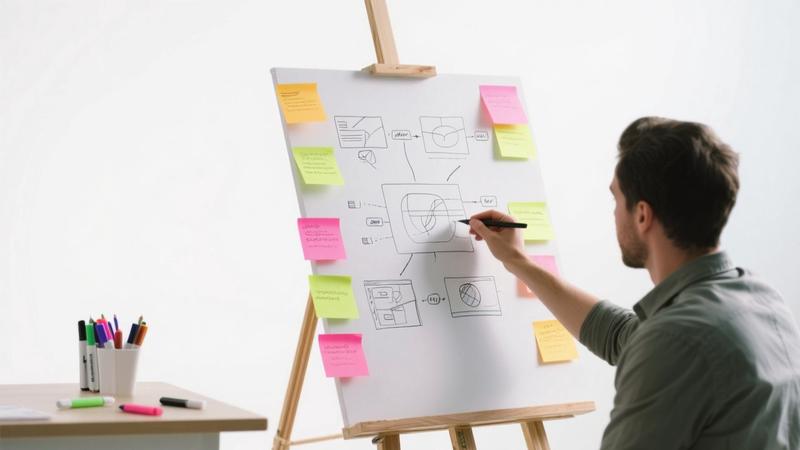
Building a website used to require either significant technical skills or a substantial budget to hire a developer. Today, AI-powered website builders have democratized web design, making it possible for anyone to create a professional-looking website in a matter of hours, often with no coding knowledge whatsoever. Whether you need a personal portfolio, a small business site, a blog, or an online store, AI tools can handle the heavy lifting. In this guide, we walk you through the process from start to finish and highlight the best platforms available.
Why Use AI to Build Your Website?
AI website builders offer several compelling advantages over traditional approaches:
- Speed: What once took weeks can now be accomplished in hours. AI tools generate complete website structures, populate content, and apply professional designs automatically.
- Cost savings: Hiring a web developer can cost thousands of dollars. AI builders typically charge monthly fees ranging from free to around $30 per month.
- No technical skills required: You do not need to know HTML, CSS, JavaScript, or any other web technology. The AI handles all the technical complexity.
- Professional results: Modern AI builders produce designs that rival those created by human designers, with responsive layouts, modern typography, and polished visual elements.
- Easy maintenance: AI builders handle hosting, security updates, and technical maintenance, letting you focus on your content and business.
Best AI Website Builders in 2026
Hostinger AI Website Builder
Hostinger's AI website builder has emerged as one of the most user-friendly options available. You start by describing your business or project in a few sentences, and the AI generates a complete website with relevant pages, images, and content. The editor is intuitive and allows you to customize virtually every element through a drag-and-drop interface. Hostinger also provides reliable hosting, a free domain for the first year, and competitive pricing. It is an excellent all-around choice for beginners and small businesses.
Wix AI (Wix ADI)
Wix has been a leader in the no-code website space for years, and its AI-powered site builder, formerly known as Wix ADI, continues to improve. The AI asks you a series of questions about your business, design preferences, and content needs, then generates a customized website. Wix offers the most extensive app marketplace of any builder, giving you access to hundreds of integrations for everything from email marketing to appointment scheduling. The trade-off is that the platform can feel overwhelming due to the sheer number of options available.
Framer AI
Framer takes a design-first approach to AI website building. It generates websites with a strong emphasis on visual aesthetics and animations, making it popular among creative professionals, designers, and agencies. Framer's AI can generate entire page layouts from text descriptions, and the resulting sites tend to have a more distinctive, modern look compared to other builders. However, its e-commerce capabilities are more limited, making it better suited for portfolios, landing pages, and marketing sites.
10Web
10Web is built on WordPress, which means your AI-generated site benefits from the vast WordPress ecosystem of plugins and themes. The AI can recreate existing websites by analyzing their design and content, which is useful if you want to migrate from another platform while maintaining a similar look. 10Web also offers AI-powered hosting optimization, automated page speed improvements, and built-in SEO tools. It is a strong choice for users who want the flexibility of WordPress without the technical complexity.
"The best AI website builder is the one that matches your technical comfort level, design expectations, and long-term goals. Start with the simplest option that meets your needs, and upgrade as your requirements grow."
Step-by-Step: Building Your Website with AI
Step 1: Define Your Purpose and Audience
Before touching any tool, take time to clarify what you want your website to achieve. Are you showcasing a portfolio? Selling products? Sharing a blog? Attracting local customers? Understanding your purpose and target audience will help you provide better input to the AI and make more informed design decisions later.
Step 2: Choose Your Platform
Based on the comparisons above, select the platform that best fits your needs. Most offer free trials or free tiers, so you can experiment before committing. Consider factors like pricing, design flexibility, e-commerce needs, and whether you want your site built on WordPress or a proprietary platform.
Step 3: Provide Your Input
This is where the AI magic happens. Most builders will ask you to describe your business or project. Be as specific as possible. Include details about your industry, target audience, the pages you need, your brand colors, and any specific features you want. The quality of the AI's output is directly related to the quality of your input.
Step 4: Review and Customize
Once the AI generates your initial site, review every page carefully. Check the text for accuracy, ensure images are appropriate, and verify that the navigation makes sense. Then use the platform's editor to customize colors, fonts, layouts, and content. Most AI-generated sites need at least some manual refinement to feel truly personal and polished.
Step 5: Optimize for Search Engines
Even the most beautiful website needs to be discoverable. Take the time to optimize your site for search engines by adding relevant meta titles and descriptions to each page, using appropriate heading structures, optimizing images with alt text, and ensuring your content includes relevant keywords. Many AI builders include built-in SEO tools to guide you through this process.
Step 6: Launch and Maintain
Before going live, preview your site on both desktop and mobile devices to ensure everything looks and works correctly. Test all links, forms, and interactive elements. Once you are satisfied, connect your custom domain and publish. After launch, plan to update your content regularly and monitor your site's performance using analytics tools.
Common Pitfalls to Avoid
- Accepting the AI output without editing: AI-generated content and designs are starting points, not finished products. Always review and customize.
- Ignoring mobile responsiveness: Most AI builders handle this automatically, but always verify that your site looks good on phones and tablets.
- Using generic stock photos: Replace default images with authentic photos that represent your brand whenever possible.
- Neglecting page speed: Large images and excessive animations can slow down your site. Optimize media files for web performance.
- Forgetting about accessibility: Ensure your site is usable by people with disabilities by using proper heading structures, alt text, and sufficient color contrast.
Conclusion
AI website builders have made it genuinely possible for anyone to create a professional website without writing a single line of code. The technology has matured to the point where the results are often indistinguishable from sites built by professional developers. By choosing the right platform, providing clear input, and investing time in customization and optimization, you can build a website that effectively serves your goals and looks great doing it. The barrier to entry has never been lower, and there has never been a better time to build your online presence.